Ontario Pharmacy Launch Zones

Screen an Ontario pharmacy location before you lease, buy, or open.

Manual-reviewed Ontario location screens with a Top 50 shortlist, heat-map context, nearby pharmacy context, and relative opportunity signals.

Top 50 list Address report Heat map Ontario only
Candidate Address Screen

Get one Ontario location screened for $300 CAD.

For a lease, acquisition, storefront, plaza, municipality, opening, or expansion decision. Manual-reviewed during validation and delivered by email.

IncludesTop 50 Ontario shortlist, nearby active pharmacy context, relative opportunity signals, and heat-map context.
AsyncNo calls required. PharmacyAtlas.ca emails the result after manual review.
GuardrailsNot financial advice. Use alongside lease, legal, financial, and operational diligence.

Request a screen

Payment instructions are sent after the Ontario location is accepted for manual review.

$300 CAD. Includes the Top 50 shortlist. Manual-reviewed. Async email delivery. If the form does not submit, email [email protected].

Free List

Not ready to order? Join the list.

Get product drops, sample reports, and future access notices. Full map/report access is not included by default.

FreeUseful if you are watching the product but do not have an active location decision.
Qualified accessApproved validation access may require redacted store-level operating proof.
Brand-onlyUpdates come from PharmacyAtlas.ca.

Join the list

For Ontario pharmacists, buyers, operators, brokers, and advisors evaluating pharmacy locations.

Ontario only. Product updates only. No calls required. If the form does not submit, email [email protected].

What This Is

See the zone. Check the address.

A ranked Ontario map plus address-level reports for deciding which pharmacy locations deserve a closer look.

Top 50 location list

A ranked shortlist of relative Ontario locations to investigate first.

Opportunity heat map

See broad warm/cool areas before looking at a specific lease target.

Address report

Check one storefront or plaza with a detailed report after the zone looks promising.

Product Preview

Ranking list, heat map, address report.

Use the map to choose a zone, then use the report to check a specific storefront or plaza.

Sample address report

Preview the PDF-style report without leaving the sales page. Open the full sample when you want to inspect all pages.
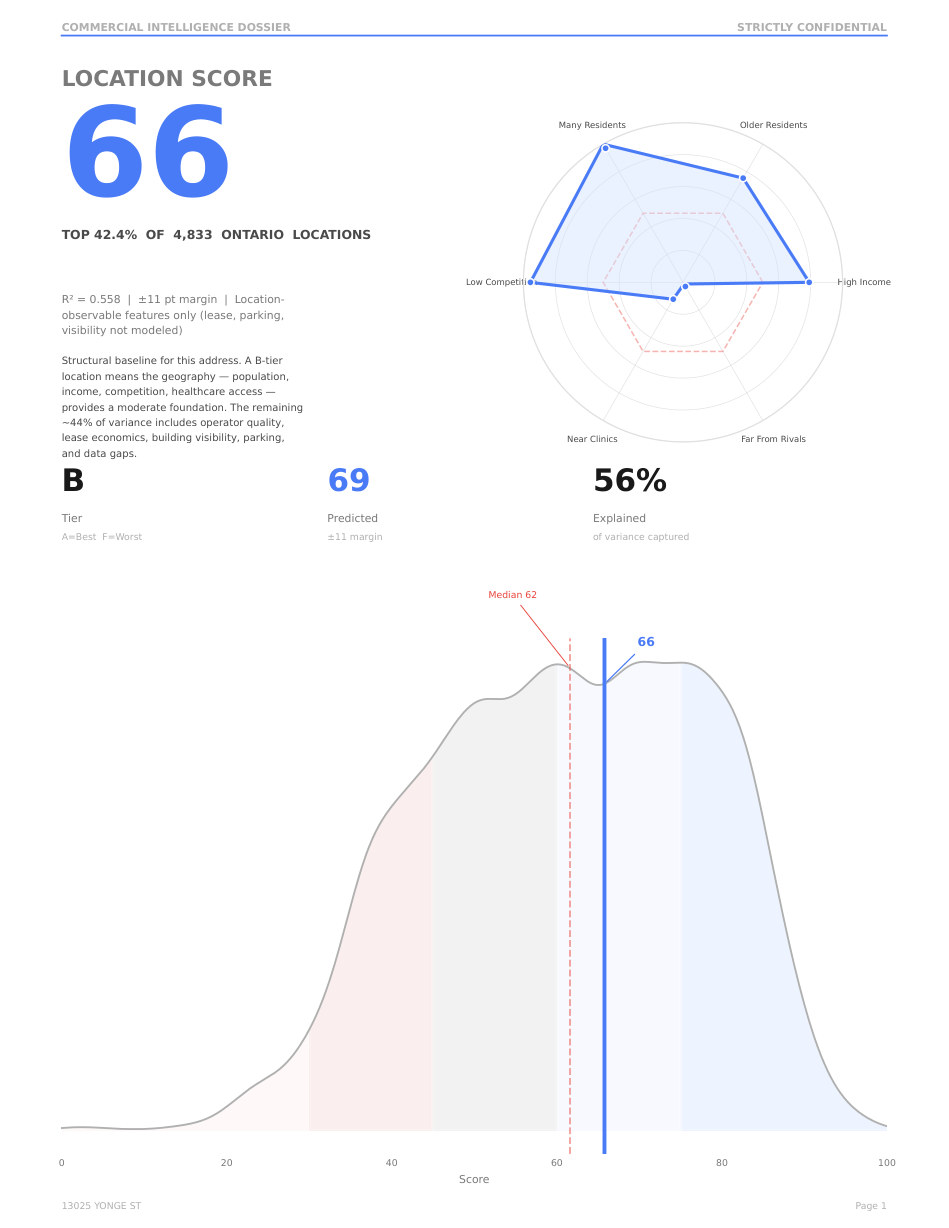
Sample report cover page Sample report score page

Neighbourhood heat map

Warm/cool cells show where the current model sees stronger relative launch conditions. Water and unsupported areas are filtered out instead of being treated as neutral.
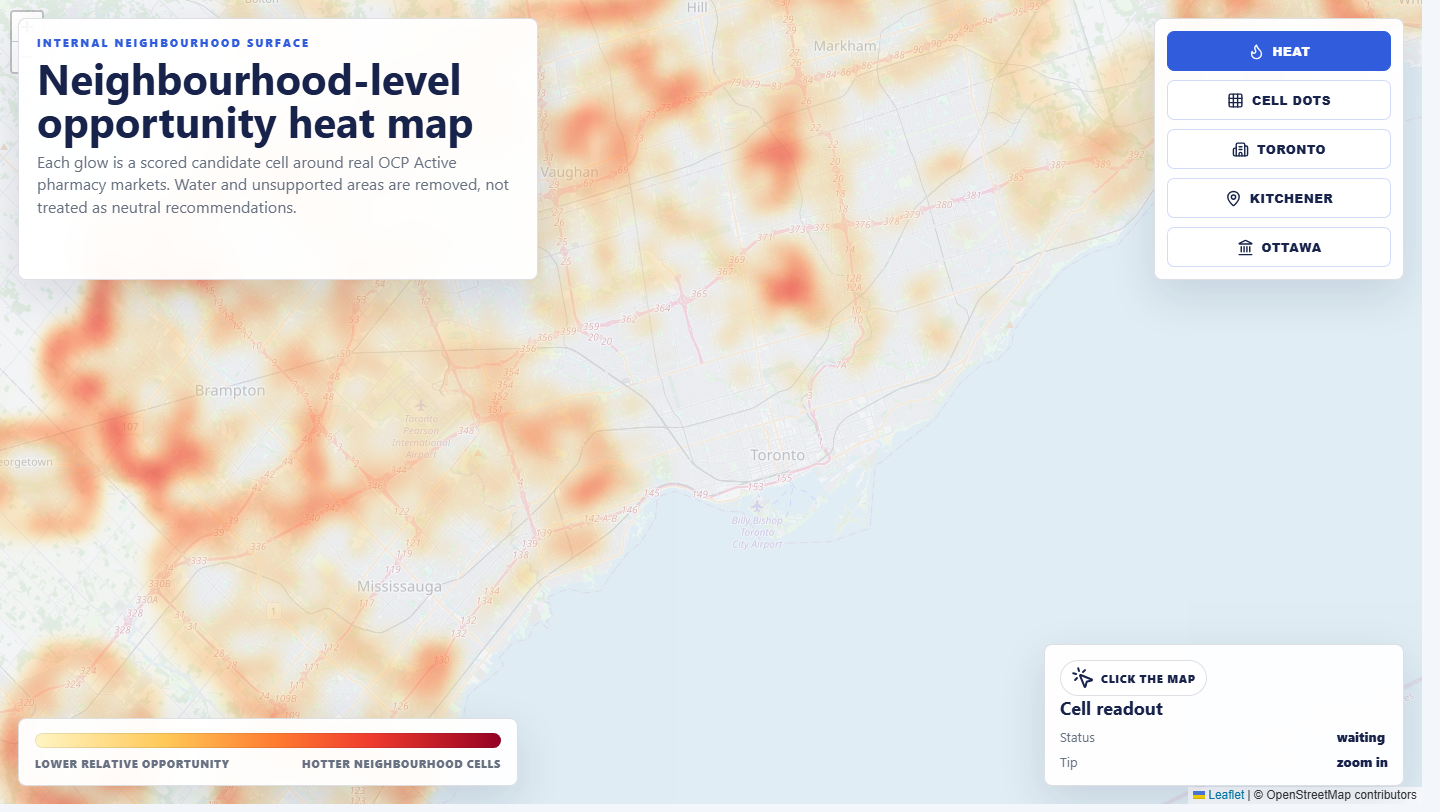
Neighbourhood heat map preview around Toronto

Manual-reviewed address screen

During validation, paid address screens are manually reviewed before delivery. Reports are designed for early screening and must be verified through independent diligence.
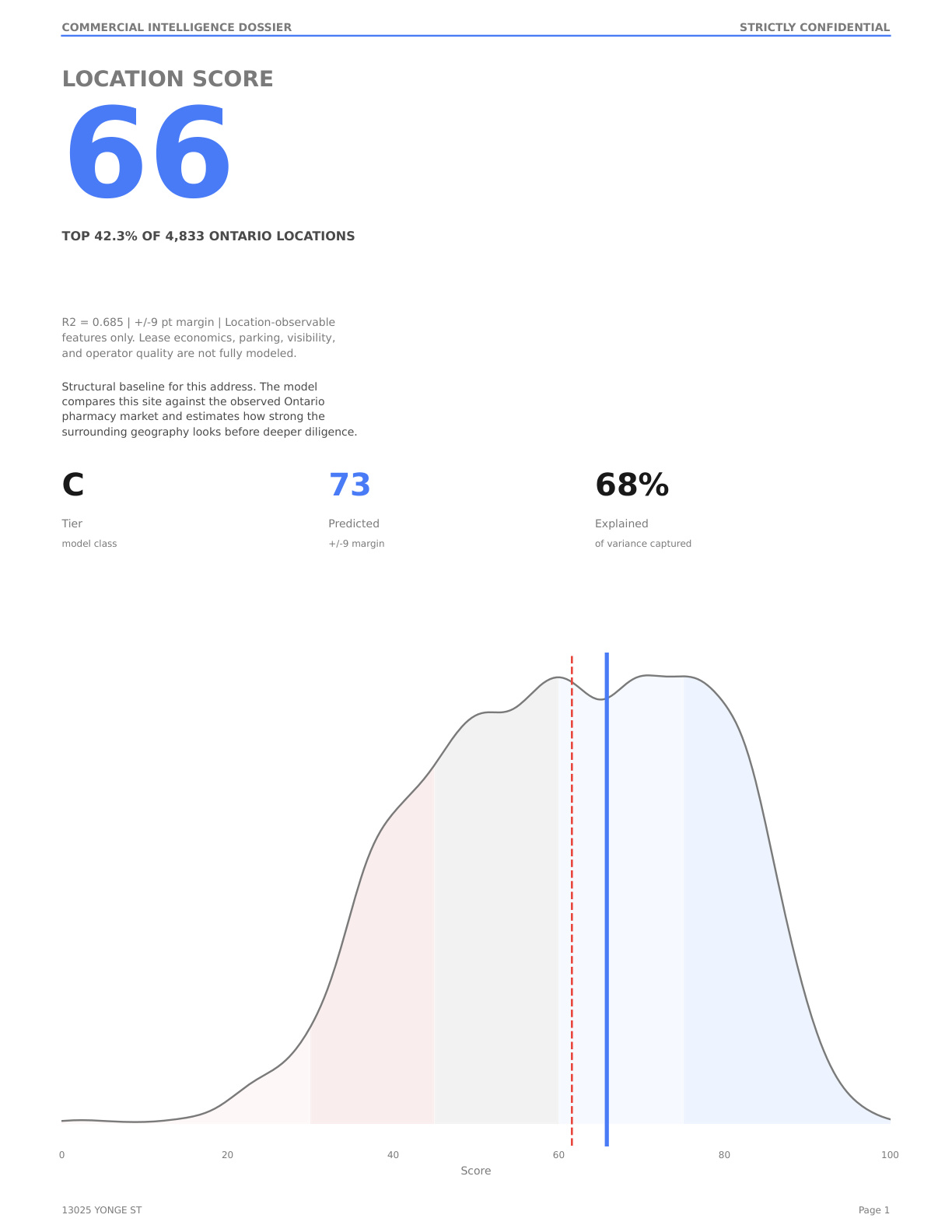
Generated bundle-backed address report preview
Products And Pricing

Start with a paid address screen.

Use paid screening when you have an active Ontario location decision. Use the free list if you are only watching future product drops.

Main product

Candidate Address Screen

$300

  • One Ontario address, plaza, city, or candidate area
  • Nearby active pharmacy context and heat-map context
  • Manual-reviewed and emailed asynchronously
Multiple candidates

Expansion / Acquisition Sprint

$800

  • Up to 5 Ontario candidate locations over 30 days
  • Built for operators, buyers, brokers, and advisors comparing several sites
  • Manual-reviewed output with async email delivery
Later

Advisor / broker pack

Pilot

  • For repeat users after the first paid reports are proven
  • Designed for advisors comparing sites for multiple clients
  • Referral terms, if any, must be disclosed
Interactive Public Map

Top 2 Ontario zones.

Public users can explore approximate city-level markers. Exact streets, address-level screening, and the full top 50 relative locations to open a community pharmacy are gated for approved testers.

Public previewExperimental data

Interactive Ontario top 2 map

Click the public markers for a high-level preview. The paid map unlocks the top 50 and address-level checks.

Loading the public top 2 Ontario preview.
Full zone geometry gated
#1

Kitchener

Stands out because it combines strong demand with fewer close pharmacies.

Overall opportunity89/100
How attractive the area looks overall
Local demand64/100
How much pharmacy demand the area appears to support
Room nearby77/100
Fewer close pharmacies raises this bar
Easy access54/100
Parking, retail, clinics, and local access
Traffic pull65/100
Signals that people already move through the area
#2

Ottawa

Stands out because demand and access look strong, even in a busier pharmacy market.

Overall opportunity86/100
How attractive the area looks overall
Local demand66/100
How much pharmacy demand the area appears to support
Room nearby28/100
Fewer close pharmacies raises this bar
Easy access68/100
Parking, retail, clinics, and local access
Traffic pull89/100
Signals that people already move through the area
#1
Experimental dataPublic top

Kitchener

A strong relative area to investigate for a new community pharmacy. Exact streets stay gated.

Opportunity89
Demand signs64
Nearby pharmacies1 close
#2
Experimental dataPublic top

Ottawa

A strong relative area to investigate for a new community pharmacy. Exact streets stay gated.

Opportunity86
Demand signs66
Nearby pharmacies5 close
Validation Access

Have operating proof to contribute?

Qualified validation contributors can request limited free access by uploading redacted store-level operating proof and the Ontario address they want screened.

Limited-time offerManual approvalOntario only
Contributor screenLimited free access may be approved for useful redacted operating proof.
Ranking mapTop 50 relative locations to open a community pharmacy.
1. Manual reviewYou approve the emailApplications stay pending until you accept or reject them.
2. One-time PINApproved email unlocks mapTop 50 locations and heat map open only after email PIN verification.
3. Manual reportAsync deliveryThe address screen is checked manually and emailed after review.
You may receiveLimited map access and one manual-reviewed address screen if approved for validation access.
Best evidenceMonthly prescription count, prescription sales, profit summary, accountant summary, or pharmacy-system export.
Access controlPersonal email PIN access with IP history to reduce account sharing.
Approved validation application For qualified operators/advisors who can share redacted store-level operating proof.
Applicant
Current pharmacy proof
PDFs, JPGs, screenshots, spreadsheets, exports, or zipped multi-file packages are fine.
Address to screen
I am authorized to share this redacted pharmacy-level report and PharmacyAtlas.ca may store it privately for validation review. I will not upload patient-identifying information.

Applications are manually reviewed before map access is granted. If the upload form does not submit, email [email protected].

Guides

Useful reading before you pick a location.

Short, practical posts for pharmacy owners who want the plain-English version before applying.

How to compare Ontario pharmacy locations before signing a lease

A practical checklist for screening a pharmacy location before the expensive diligence starts.

Start with the trade areaLook at where patients actually live, shop, commute, and visit clinics. A cheap lease is not useful if the surrounding area cannot support repeat prescription traffic.
Check nearby pharmacy pressureCount the pharmacies close enough to split the same walking, driving, and clinic traffic. A strong location can still lose appeal when several established stores already sit nearby.
Look for daily-life anchorsMedical buildings matter, but so do grocery stores, transit, parking, seniors housing, and other reasons people are already in the area.
Use the map as a shortlist, not a verdictA ranked map should help you decide where to investigate first. It should not replace lease review, zoning checks, physician outreach, financing work, or local visits.
Read guide

What to submit for approved validation access

What kind of store-level proof helps validate whether the location rankings match real pharmacy performance.

Best uploadsMonthly prescription count, prescription sales, profit summary, accountant summary, or a pharmacy-system export are the most useful.
What matters mostThe report should show the store, the time period, and enough operating detail to compare real performance against the screened area.
What not to sendStore-level totals are enough. Do not upload patient-identifying information.
What happens after approvalApproved validation users may receive limited map access and one manual-reviewed address screen.
Read guide
FAQ

Quick answers.

Short version: the paid product screens Ontario locations; qualified contributors may receive limited validation access.

What is the paid product?A $300 Candidate Address Screen for one Ontario location, manually reviewed and delivered by email.
What is validation access?Qualified contributors who share useful redacted operating proof may receive limited free access while the product is being tested.
What should I upload?A store-level report such as monthly prescription count, sales summary, margin summary, accountant summary, or pharmacy-system export. Optional files for the new site can be added too.
Is this financial advice?No. Treat it as a research screen, then verify leases, zoning, physicians, competition, traffic, and finances yourself.
Disclaimers

Experimental, not financial advice.

Use PharmacyAtlas.ca as a research screen only. Independent diligence is mandatory.

Experimental dataValidation access